Free global hotkeys · Windows
Crosshair Hotkeys for Mid-Match Switching
Toggle the overlay, nudge its position, and swap loadouts from your keyboard — no alt-tabbing, all in the free app.
What each hotkey does
- Global overlay toggle.
- 1px nudge.
- Quick-switch favorite loadouts.
- No alt-tabbing.
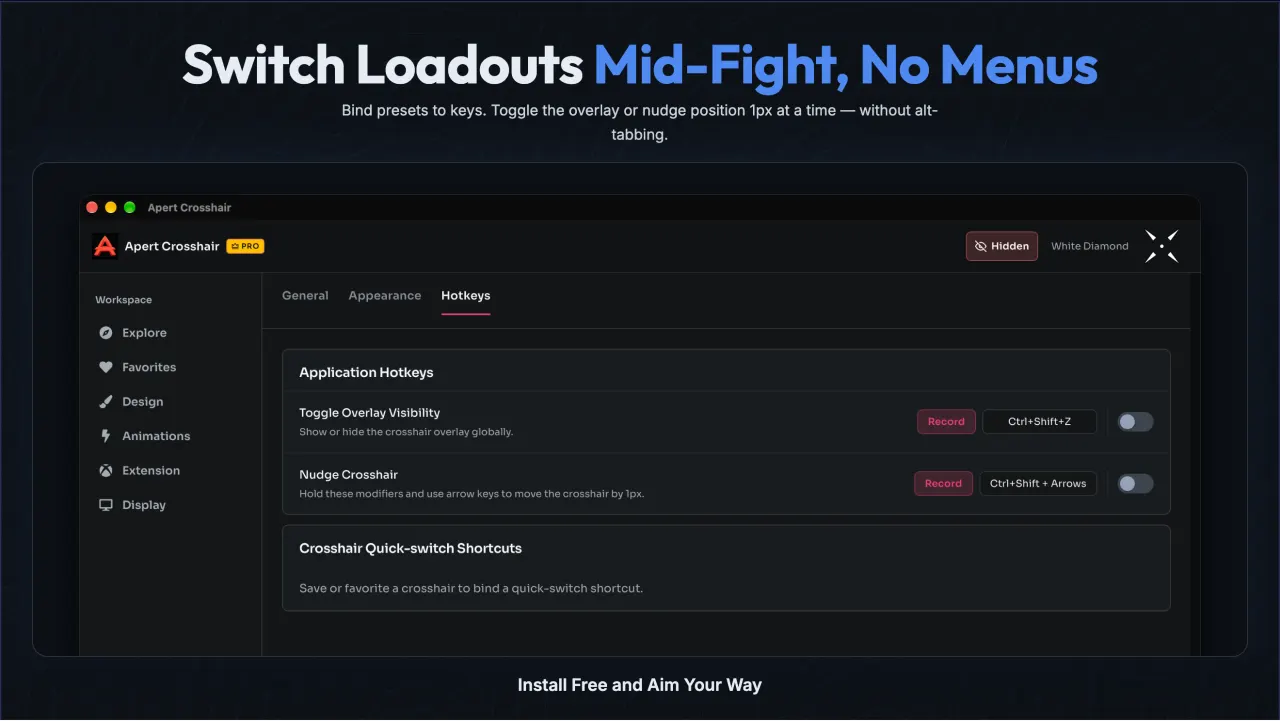
Set up bindings in one pass
Open the Hotkeys tab, click a binding row, and press the key or combination you want. Bindings save the moment you press them, and a conflict warning appears if the combination is already taken inside the app. Mark loadouts as favorites and they get priority slots on the quick-switch list, ordered exactly as you arrange them.
Because bindings are stored per loadout, your shooter setup and your single-player setup never fight: switching games means switching loadouts, and the right keys follow automatically.
Hotkey questions
Do hotkeys work while my game is focused?
Yes. Hotkeys are global, so they fire even when the game window has focus. You never open the app window mid-match.
Can I change the default keys?
Yes. Click any binding, press the replacement key or combination, and it saves immediately. A reset button restores defaults per loadout.
What if a hotkey conflicts with a game binding?
Pick a combination your game does not use, such as a mouse side button or Ctrl plus a function key. Bindings are per loadout, so each game keeps its own set.