Free preset library · In the app
Crosshair Presets and Pro Settings, Ready in One Click
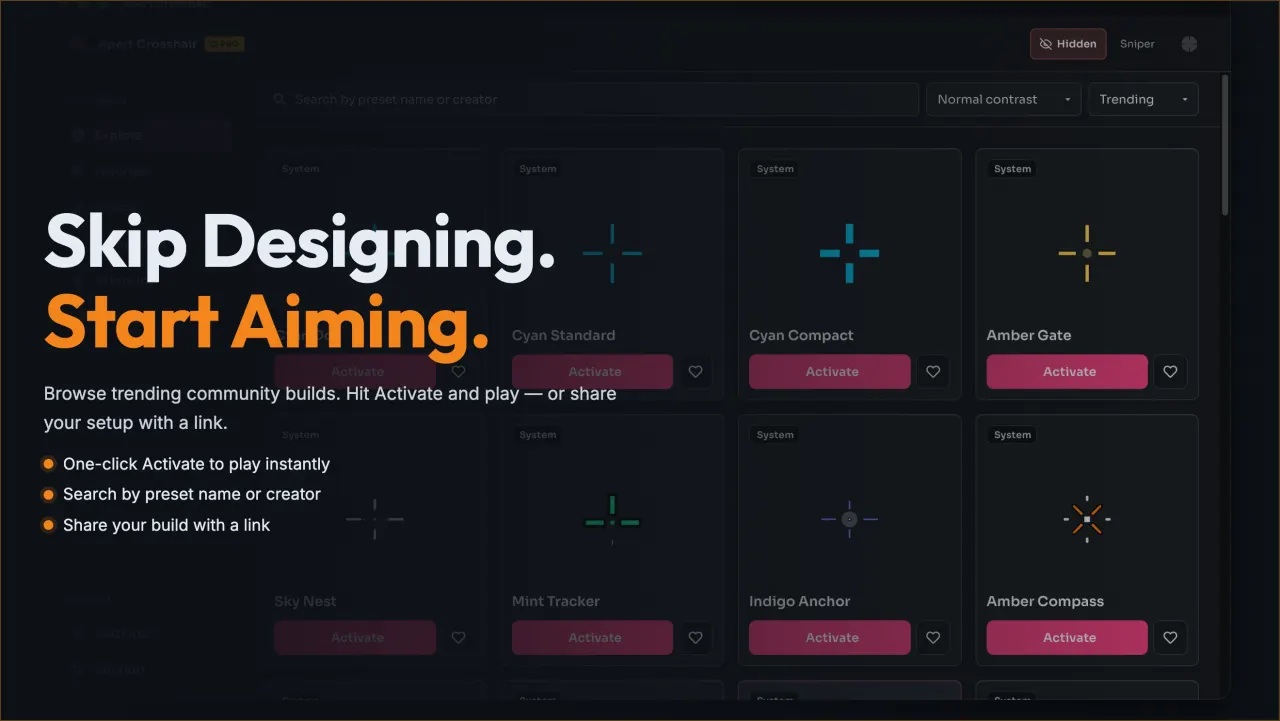
Skip the blank canvas. Activate a shared preset, keep it as-is, or use it as a starting point for your own edits.
How presets work
- Step 1 Search by name or creator.
- Step 2 Press Activate.
- Step 3 Adjust to your maps.
Share your setup with a link
Every loadout generates a share link that encodes your exact configuration: layer order, per-layer opacity and rotation, effect speed and intensity, and trigger bindings. A teammate opening the link imports those values into their own library slot, where they can rename it and keep editing. Links never expire and cost nothing to create, because the library is part of the free app.
Pro settings work the same way. When a competitive player publishes a setup, the listing shows their name and the game it was tuned for, so you can judge whether it fits the maps and modes you play before activating it.
Preset questions
Are community presets free?
Yes. Browsing, activating, and sharing presets is free in the app. There is no paid tier and no locked setup.
How do I share my own setup?
Select your loadout, choose Share, and copy the link. Anyone opening it sees your exact layers, colors, and effect values.
What does the pro label mean?
The pro label marks setups published by competitive players themselves. Values are exactly what they entered, ready to adjust to your maps.
Open the library in the app
The preset library lives inside Epic Crosshair. Download the free app from the Microsoft Store, open the Library tab, and activate your first preset in under a minute.